


BD NET VPN
4.55.29K Reviews
App Specs
- Version
- PrinceBuild104
- Updated On
- License
- Free
- Downloads
- 10,000,000+
- Developer
- SulitNet Solutions
- Categories
- Tools
- Platform
- Android
Screenshots
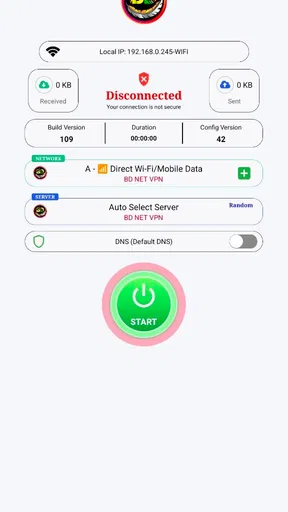
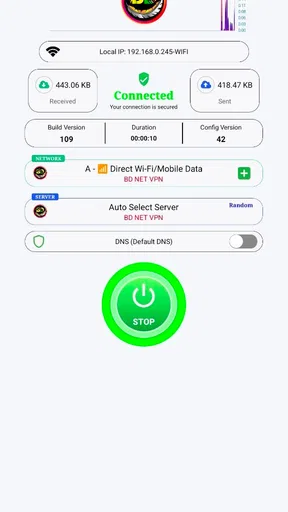
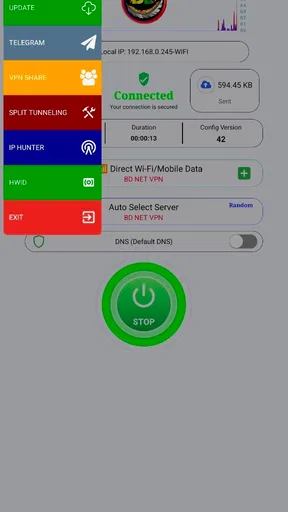
 Analysis by AppCompare
I usually think about a VPN in the middle of an ordinary task, not as a permanent project: I’m about to join public Wi-Fi, open a personal account, or browse somewhere I don’t fully trust. That is the practical setting in which BD NET VPN makes sense. It is a free tools app from SulitNet Solutions, and its appeal is the promise of a straightforward way to route a connection through a VPN without turning setup into a technical chore.
Before you connect: what to expect
The first question I’d ask is whether I need a simple connection safeguard or a detailed privacy toolkit. BD NET VPN appears aimed at the first case. Its store summary describes a secure, stable service with multiple protocols, but a short summary is not a substitute for understanding what a VPN can and cannot do. A VPN can protect the connection between your device and the VPN service; it does not make every website trustworthy, prevent every form of tracking, or replace careful account security.
That distinction matters in daily use. If I’m checking a bank account on café Wi-Fi, a VPN can be one sensible layer, alongside using the official banking app, a strong sign-in method, and avoiding unexpected links. If I’m trying to stay anonymous from every company or service I interact with, I would not treat a one-tap connection as a complete solution. I’d first decide what I need protection from, then choose a tool whose controls and privacy information match that need.
BD NET VPN has an average rating of 4.5 from around 97,000 ratings, and it has been installed over 10 million times. That level of adoption suggests many people are willing to try it, but it does not tell me whether its connection will suit my phone, network, or particular destination. The app is free and rated for Everyone, which lowers the barrier to trying it; I’d still read the current app information and privacy details before relying on any VPN for sensitive work.
A practical connection workflow
For a typical errand, I’d start by installing the app and opening it before joining the network I want to protect. I’d look over the account or sign-in step, then use the main connection control and wait until the app indicates that the VPN is active. Only after that would I open a browser or another app for the task. This order is useful because a VPN cannot protect traffic that has already been sent before the connection is established.
Once connected, I’d check that the app still shows an active session after moving between Wi-Fi and mobile data, or after the phone has been idle. That small habit is more useful than assuming the VPN stays connected forever. If I’m doing something important, I’d also avoid switching servers mid-task: changing the route can interrupt a session or prompt a website to ask me to sign in again.
BD NET VPN runs on Android 7.0 or later, so an older device may not be eligible even if it can still handle other apps. It is currently at version PrinceBuild104. I’d check compatibility on the device I plan to use rather than assume that an installation on one phone guarantees the same experience on another. The app has been available since October 7, 2022, and SulitNet Solutions has accumulated about 5,300 written reviews alongside its much larger rating count.
Worth Reading Before You Choose

EA SPORTS FC Mobile 26 Is a Bigger Football Game, but It Takes Time

Flipboard Shows What News Apps Must Do Beyond the Feed

Switching to Android Auto Means Rethinking Your Driving Routine

Google Calendar Makes a Crowded Week Easier to Manage

Ludo King Makes the Most of the Minutes Between Plans

Baby Panda World Brings Quick Play to Modern Phones, but Its Game Library Feels Busy
Choosing a route and handling handoffs
A VPN’s location choices can help when a service behaves differently by region, but I’d treat that as a practical option rather than a promise that every catalogue or website will work. Streaming platforms and other services may block VPN traffic, and signing in from a different apparent location can trigger extra checks. If a site refuses to load, I’d first disconnect and reconnect, try a different available route if the app presents one, and then consider using the service without a VPN if regional access is not the goal.
There is also a trade-off between convenience and consistency. The nearest or most responsive route is often a sensible starting point for ordinary browsing, while a route selected for a particular region may be more useful when location is the point of the task. A different route can affect speed and can make websites treat you as arriving from somewhere new. I would not pick a distant location for routine email or banking unless I had a clear reason.
Handing off from the VPN to another app is usually the part people forget. If I start a download, switch to a video app, or open a work tool, the VPN’s protection depends on its connection remaining active in the background. I’d make a quick check after any network change and before entering sensitive details. If a connection drops, I’d pause the task rather than keep using the internet on the assumption that the tunnel is still there.
Where a simple VPN can fall short
Compared with the built-in private-browsing mode in a browser, a VPN can cover traffic from more than just that browser, which is useful when I move between apps. But private browsing and a VPN solve different problems: private browsing mainly limits what is saved locally in a browser session, while a VPN changes how network traffic is routed. Neither one prevents a website from identifying me after I sign in.
Compared with a more configurable VPN, a one-button approach may be easier to learn but may offer less control over how I diagnose a weak connection or tailor settings. That is not automatically a flaw; it depends on the user. Someone who wants a quick connection for everyday browsing may prefer fewer choices, while a person who needs detailed configuration, clear technical explanations, or a particular privacy assurance should compare alternatives carefully before depending on this app.
I would also avoid treating smooth streaming or a connected indicator as proof of complete security. Speed can vary with the route, the Wi-Fi network, congestion, and the service being used. If a video buffers, I’d test the same task on a different route or without the VPN to identify whether the VPN is the cause. For a time-sensitive video call, stability may matter more than appearing to browse from another region, so I’d choose the connection that gives the most dependable call rather than insist on using a VPN unnecessarily.
Getting Started with BD NET VPN
First things first, downloading and setting up BD NET VPN is a breeze. Available for both Android and iOS, you can find it on the Google Play Store and App Store. Once you have it installed, you're greeted with a clean and intuitive interface. I love how straightforward the design is — no frills, just what you need right in front of you. A big plus for those of us who aren't exactly tech wizards!
After launching the app, you sign up or log in, and bam, you’re met with a big ol’ connect button. Tap that, and you’re virtually whisked away to a more secure browsing experience. It’s kind of like having a private digital tunnel that hides you from prying eyes. This ease of use is what makes it stand out, especially for VPN newbies.
Features That Stand Out
Now, let’s talk features. BD NET VPN boasts a variety of servers across numerous countries, giving you plenty of options for bypassing geo-restrictions. Whether you’re trying to catch up on that exclusive UK series or need access to a US-only site, this app has got you covered. It’s like having a passport to the internet’s hidden gems.
One feature I particularly appreciate is the app’s high-speed connection. There’s nothing worse than a sluggish VPN that turns HD streaming into a pixelated mess. With BD NET VPN, streaming is smooth, and I didn’t experience any noticeable lags. It’s perfect for binge-watching without interruptions.
Security and Privacy
Security-wise, BD NET VPN uses top-notch encryption to keep your data safe. This is crucial if you’re accessing public Wi-Fi networks or handling sensitive information online. The app doesn’t store logs either, which is a huge relief for privacy-conscious users. No one wants their browsing history wandering off into the wrong hands!
Another neat feature is the kill switch. If the VPN connection drops unexpectedly, this feature ensures that your internet connection is severed until the VPN is back up. It’s like having a safety net, ensuring your data doesn’t accidentally slip through.
Usability and Performance
In terms of usability, BD NET VPN shines with its user-friendly design. Everything is labeled clearly, making navigation a breeze. The app is lightweight too, so it doesn't hog your device's resources, which is always a bonus.
Performance-wise, I tested it across various locations and found the connection stable and reliable. Switching between servers is quick, and there’s a handy auto-connect feature that ensures you’re always protected. Whether you’re browsing at home or hopping onto a café’s Wi-Fi, it’s like having a trusty bodyguard by your side.
Making it fit your routine
My most practical use for a simple VPN is a short, predictable session: I arrive at a café, connect to its Wi-Fi, open the VPN, confirm the connection, and then check messages or browse while I wait. Before leaving, I finish anything that depends on the same network route, then disconnect when I no longer need it. That keeps the tool tied to a clear purpose instead of leaving it on by habit and wondering why a site has changed its behaviour.
For travel, I’d use a similar routine but be more cautious about location changes. A service may ask for a fresh login when the apparent region changes, and repeated attempts can look unusual to its security systems. If access to a particular service is the goal, I’d connect before opening it and keep the route steady for the session. If the service still blocks access, I’d stop troubleshooting rather than assume that cycling through locations will guarantee a result.
For everyday messaging or general reading, I’d choose the least complicated route that works reliably. For a large download or a call, I’d prioritize a stable connection and avoid changing networks or servers halfway through. These small choices reduce interruptions, but they do not turn the VPN into a fix for weak Wi-Fi. A poor underlying connection can remain poor even when traffic is routed through a VPN.
Who will appreciate it—and who may not
I think BD NET VPN is most appealing to someone who wants an uncomplicated starting point, especially a person who has never used a VPN and would rather connect than tune a page of settings. Its simple flow suits occasional public-network use and basic browsing, where convenience is a genuine benefit. The free price also makes it easier to test whether a VPN fits into a routine before deciding whether more control is worth seeking elsewhere.
I’d be more cautious if my work depends on a specific, documented privacy standard, if I need advanced network controls, or if I need a VPN to behave predictably with a particular work system. In those cases, I would compare services based on their published technical and privacy information, not just ease of use or popularity. I’d also choose another approach if my main goal is to stop websites from tracking activity after I log in; a VPN does not remove that identity link.
Parents should remember that an Everyone content rating is about the app’s audience classification, not a guarantee that every site reached through a VPN is suitable for a child. The VPN changes network routing; it is not a content filter. Likewise, someone who only wants to keep browsing history off a shared device may get more direct help from separate device accounts and browser privacy controls.
What I would check before relying on it
Before using any VPN for sensitive activity, I’d read its current privacy and connection information in the app store and inside the app, then decide whether its explanations answer my questions. I would not rely on a general promise of security alone. I’d also test the routine with a low-stakes task first: connect, open a familiar site, switch between Wi-Fi and mobile data if needed, and confirm that I understand what the app displays when the connection is active or interrupted.
If a page loads slowly, I’d separate the possible causes instead of immediately blaming the VPN. I’d check whether the same page works without it, try a nearer route if one is available, and consider whether the public network itself is congested. If only one service fails while other browsing works, the service may be reacting to VPN traffic rather than the whole connection being broken. That kind of basic troubleshooting saves time and avoids changing settings without knowing what changed.
I’d also keep expectations modest around the words “secure” and “private.” A VPN can reduce exposure on the local network, but it shifts trust to the VPN provider and does not make phishing messages, unsafe downloads, or reused passwords harmless. My sensible routine is to use the VPN for a reason, keep apps and accounts protected in their own right, and disconnect when the route causes a problem I cannot solve without disrupting an important task.
Final Thoughts
Overall, BD NET VPN delivers on its promises. It’s a solid choice for anyone seeking a reliable VPN that doesn’t skimp on speed or security. The app’s ease of use makes it accessible to everyone, from tech novices to seasoned pros. Plus, with such a vast range of servers, it’s like having the world at your fingertips.
So, if you’re in the market for a VPN that gets the job done without fuss, give BD NET VPN a spin. You might just find it’s the perfect fit for your online needs. Happy browsing, and stay safe out there!
Pros
- Fast and reliable connection speeds.
- User-friendly interface for all levels.
- Supports multiple devices simultaneously.
- Strong encryption for secure browsing.
- No logs policy ensures privacy.
Cons
- Limited server locations available.
- Free version has data limits.
- Occasional connection drops.
- Some features require premium subscription.
- Customer support response can be slow.
FAQs for BD NET VPN
What is BD NET VPN and how does it work?
BD NET VPN is a virtual private network application designed to enhance your online privacy and security by encrypting your internet connection. When you connect to BD NET VPN, your data is routed through secure servers, masking your IP address and ensuring that your online activities remain private, even on public Wi-Fi networks.
Is BD NET VPN free to use, or does it require a subscription?
BD NET VPN offers both free and premium versions. The free version provides basic features with limited server access, while the premium subscription unlocks additional servers, faster connection speeds, and enhanced security features. Users can choose a subscription plan that best fits their needs for extended functionality.
On which devices can I use BD NET VPN?
BD NET VPN is available on both Android and iOS devices. It can be downloaded from the Google Play Store for Android users and the Apple App Store for iOS users. The app is designed to be user-friendly across various devices, ensuring a seamless experience whether you're on a smartphone or tablet.
How secure is BD NET VPN for protecting my online privacy?
BD NET VPN employs advanced encryption protocols to secure your data and protect your privacy. It helps prevent unauthorized access and shields your information from hackers, especially on unsecured networks. The VPN also features a no-logs policy, meaning it does not track or store your browsing activities.
Can I use BD NET VPN to access geo-restricted content?
Yes, BD NET VPN allows users to access geo-restricted content by connecting to servers in different countries. This feature enables you to bypass regional restrictions on websites and streaming services, giving you more freedom to enjoy content that might otherwise be unavailable in your location.


